Cheasee-Pi: Build Your Own PI. Cheap. Easy. Secure.
Early Access, stable version still in works


Token-saving agent harness with security guardrails and a Kanban git-oriented sub-agent framework. Docker + Pi AI — autonomous Kanban pipeline, sandboxed execution, real-time feedback via git worktrees for parallel development.
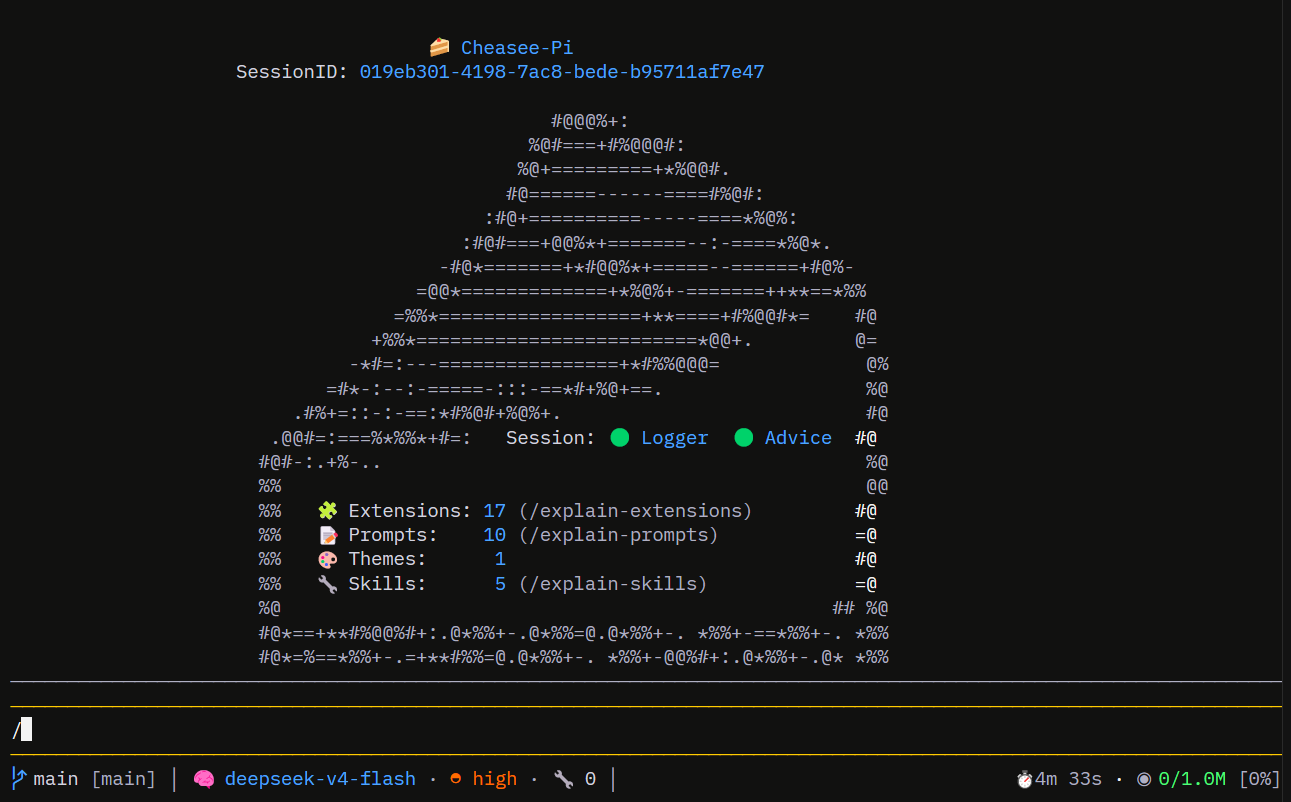
What is Cheasee-Pi?
Cheasee-Pi is a Pi agent harness built on the Pi coding agent — engineered to save tokens, enforce security boundaries, and drive sub-agents through a Kanban git-oriented workflow. It uses a GitHub Project board to orchestrate an autonomous multi-agent pipeline — Researcher → Architect → TestDesigner → Developer → Auditor — with tools that minimise token waste, enforce security boundaries, and streamline development inside isolated git worktrees.
All components run locally. No code leaves your machine (except LLM API calls to your provider).
Philosophy
Everyone should build their own Pi. This repo is my personal Pi agent harness. Fork it as a starting point, but the real power comes from shaping it into your own — your preferred tools, your workflows, your guardrails.
Customize ruthlessly. Make it yours.
Extensions overview
| Extension | Purpose |
|---|---|
| Structural Analyzer | AST-aware code search via ast-grep |
| Ripgrep Search | Fast literal/regex code search |
| Supervisor | Kanban-driven multi-agent pipeline |
| Web Crawler | Web crawling with Scrapling + Cloudflare bypass |
| Web Search | DuckDuckGo search via ddgs Python lib |
| Context Info | Rich TUI status bar (branch, model, tokens, TPS, cache) |
| Session Logger | Session logging to JSONL with Markdown reports |
| Agent Harness | Runtime tool call validation (blocks dangerous patterns) |
| Caveman Protocol | Token-efficient communication |
| Ponytail | Lazy senior dev mode — YAGNI, stdlib-first, minimal code |
| Ask User | Interactive MC dialogs + CSV logging |
| Format on Save | Auto Prettier + ESLint after write/edit |
| TSC Checkpoint | /check command: tsc --noEmit |
| Worktree Sandbox | Worktree path enforcement |
| RTK | Token-saving bash rewrite — 60-90% less output per command |
| LSP Auditor | LSP diagnostics pre-audit for pipeline |
Quick start
Install in one line
curl -fsL https://raw.githubusercontent.com/SchneiderDaniel/cheasee-pi/main/scripts/install.sh | bash
Or manually from the latest release.
First run: three steps
cheasee-pi initin an empty folder — sets up the workspace (repo URL, auth, bare clone + worktree, scaffoldedcheasee-settings.json)cd <workspace-folder>cheasee-pi(orcheasee-pi start) in that folder — launches pi inside the container
Using the CLI (auto)
cheasee-pi init           # empty-folder setup: repo URL, auth, bare clone + worktree,
                          # scaffold gitignored cheasee-settings.json
cheasee-pi init --reauth  # initialized workspace: redo GitHub OAuth + pi API-key auth
cheasee-pi start          # empty folder → init (stops); workspace → start pi (default)
cheasee-pi down           # stop/remove THIS workspace's container only
cheasee-pi clean          # remove ALL cheasee-pi containers (every repo) + prune garbage — kills active sessions
cheasee-pi prune-images   # delete ALL tagged cheasee-pi images (every repo) — recreated on next build
cheasee-pi build          # rebuild container image (Dockerfile/entrypoint changes)
cheasee-pi auth add       # add API key for a provider
cheasee-pi auth list      # list configured providers/keys
cheasee-pi auth remove    # remove a provider key
See Installation guide for prerequisites and step-by-step setup.
Documentation
Full documentation is at schneiderdaniel.github.io/cheasee-pi.
| Section | What’s there |
|---|---|
| Installation | Prerequisites, step-by-step setup, verification |
| Daily Usage | Docker workflow, parallel sessions, troubleshooting |
| Architecture | System design, extensions vs MCP, git worktrees, pipeline |
| Extensions | All 17 extensions, agent definitions, published packages |
| Skills | 21 skill definitions (11 auto-loaded, 10 manual) |
| Methodology | Kanban pipeline, security, token efficiency, daily use |
| Prompts | Internal-only prompts (all Cheasee-Pi prompts converted to skills) |
| SBOM | Software Bill of Materials |
| Acknowledgements | Credits and licenses |
Contributing
Full guide: CONTRIBUTING.md.
- Fork the repository on GitHub and clone your fork:
git clone https://github.com/<your-username>/cheasee-pi.git cd cheasee-pi git remote add upstream https://github.com/SchneiderDaniel/cheasee-pi.git - Create a feature worktree from a fresh
main:git fetch upstream git worktree add -b feature/my-change ../cheasee-pi-my-change upstream/main cd ../cheasee-pi-my-change - Implement your change. Commits follow Conventional Commits:
feat:,fix:,docs:,refactor:,test:,chore:. - Run the full test suite before opening a PR:
bash
npm test
npm run tsc:extensions
s - Push the branch and open a PR referencing the related issue (e.g.
Closes #123). - Clean up after the PR is merged:
cd ../cheasee-pi
git worktree remove --force ../cheasee-pi-my-change
License
MIT © 2025. See LICENSE.